 1
CUEVITY
1
CUEVITY
Run and monitor the show live
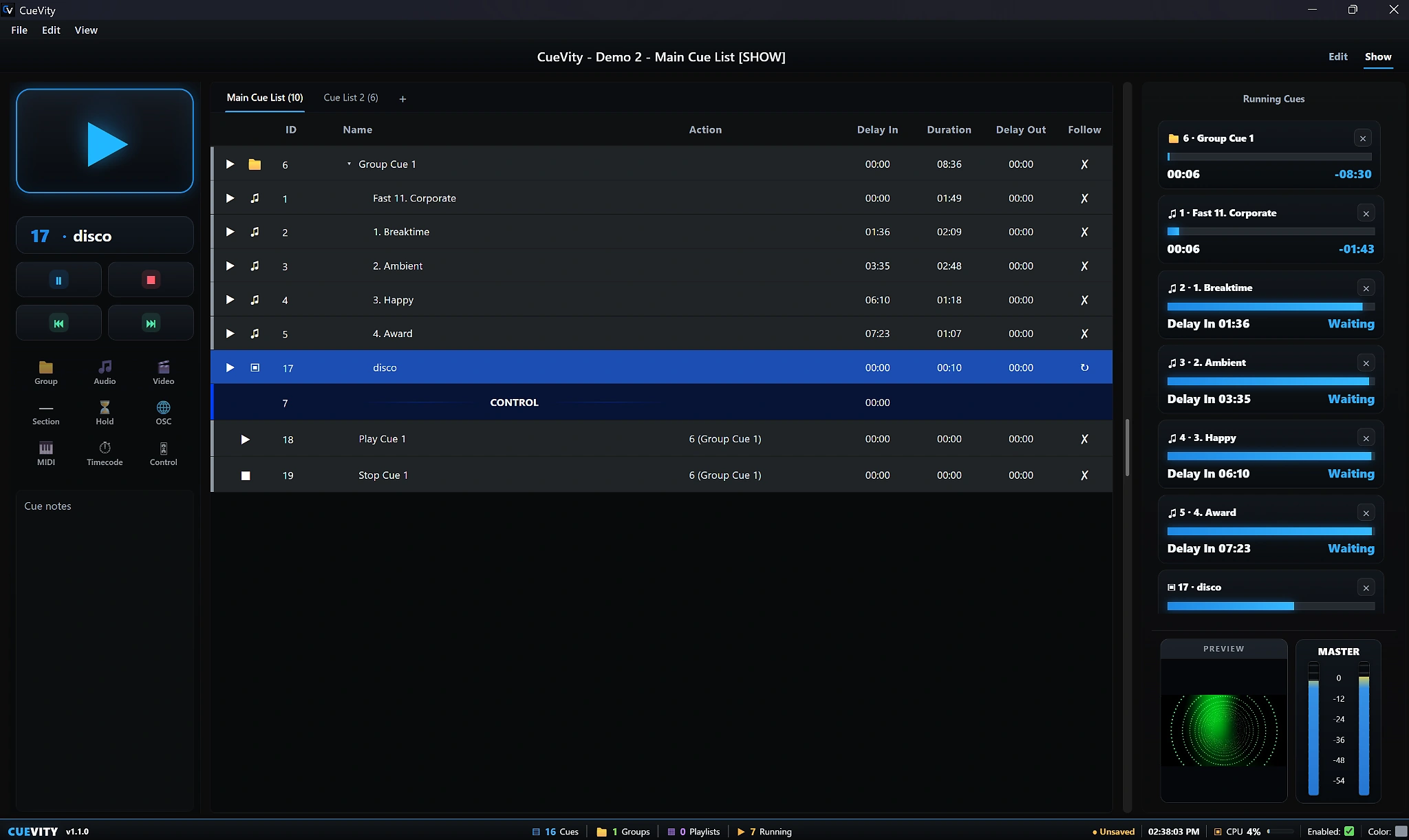
Use Show mode to follow running cues, delay countdowns, playback progress, preview video, and master levels while keeping the active cue list in view.
CueVity — Show Control Software for Audio, Video, MIDI, OSC & Timecode.
Built for Windows, CueVity helps live-event operators create, organize, play back,
route, and control cues from one focused workspace during rehearsals and live productions.
CueVity grew from the idea of bringing cues and creativity together in one focused show-control environment. Originally developed as CueBase, the software evolved beyond its original identity as its capabilities and vision grew. CueVity represents that evolution — a platform built for creating, controlling, and running live shows with flexibility and precision.
Everything you need to create, control, and deliver a show from one reliable workspace.
1
CUEVITY
Use Show mode to follow running cues, delay countdowns, playback progress, preview video, and master levels while keeping the active cue list in view.
 2
CUEVITY
2
CUEVITY
Inspect the real audio waveform and work with IN/OUT timing, markers, looping, gain, and playback controls for accurate cue preparation.
 3
CUEVITY
3
CUEVITY
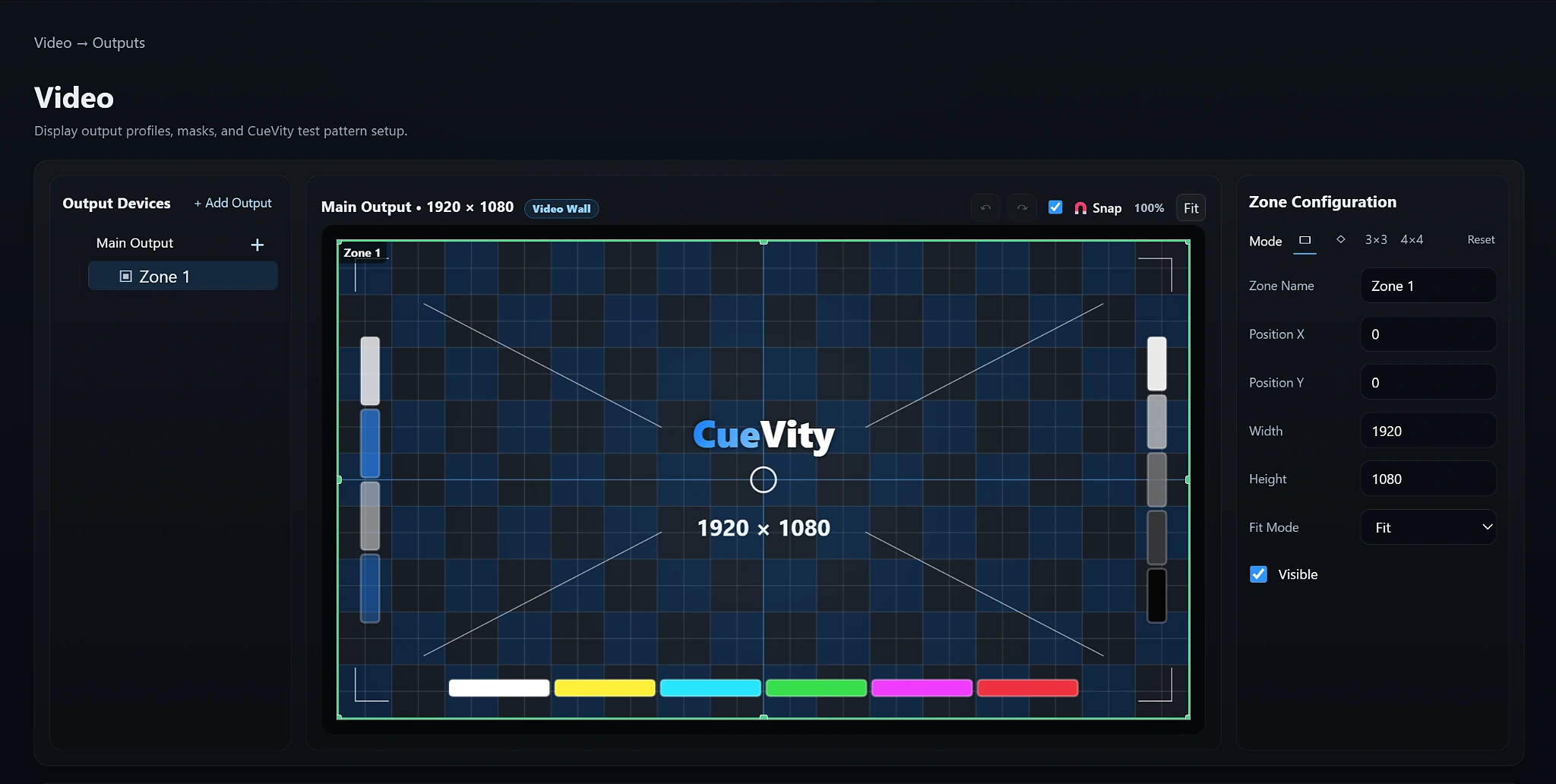
Configure output devices, custom resolutions, zones, positioning, fit modes, and video-wall layouts with an integrated visual test-pattern workspace.
 4
CUEVITY
4
CUEVITY
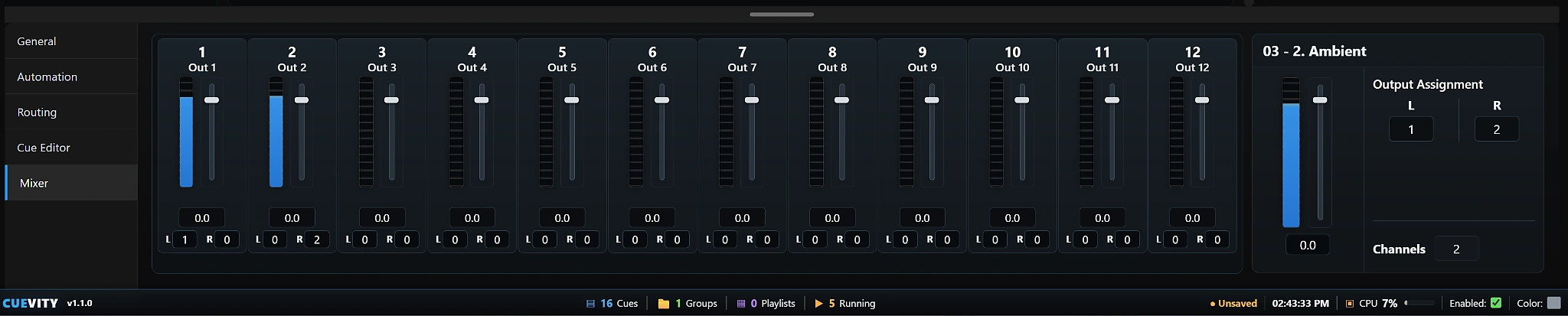
Monitor and control up to 12 output channels with level meters, faders, pan, and flexible per-cue left/right output assignment.
CueVity combines playback, routing, synchronization, and cue organization without forcing you to jump between separate tools.
Build structured cue lists for audio, video, commands, groups, delays, and show actions.
Route audio and video to the outputs and displays your production requires.
Integrate MIDI, OSC, MTC, and LTC into larger technical show systems.
Use sequence, random, parallel, delay, and follow workflows for advanced cue behavior.
Control cue output assignments and professional multi-channel audio playback.
Permanent Professional licenses remain usable offline after successful activation.
Install CueVity on your Windows production system and start with the Free Edition.
↓ Download CueVity v1.2.1Requirements vary with video resolution, audio channel count, show complexity, and connected hardware.
See the latest CueVity changes, improvements, and fixes. A complete PDF release note is also available for download.
October 2026
CueVity v1.2.1 focuses on improved workflow, stability, Settings usability, and overall UI polish.
September 2026
CueVity v1.2.0 introduced Institutional Education Licensing while preserving the existing Free and Professional licensing experience.
August 2026
Initial public release
The first public CueBase Windows release, establishing the core show-control, playback, routing, cue-list, licensing, and production workflow.
Read the CueVity manual, contact KGM Studios for product or licensing help, and review the service policies.
Open the complete CueVity v1 User Manual for installation, show operation, cue types, settings, licensing, and troubleshooting.
Open User Manual →For CueVity setup, licensing, activation, devices, purchases, or account assistance, contact KGM Studios.
kgmstudios.dev@gmail.com →Share your CueVity experience, report unexpected behavior, or suggest features and workflow improvements.
Open Feedback Form →